In this guide
Getting startedConnect Claude Code or CodexYour first sessionThe Inbox and statusesBring in a session from another terminalPet StudioTerminal themesPrivacy and safetyTroubleshootingUninstallMake it yours · 2 min read
Terminal themes
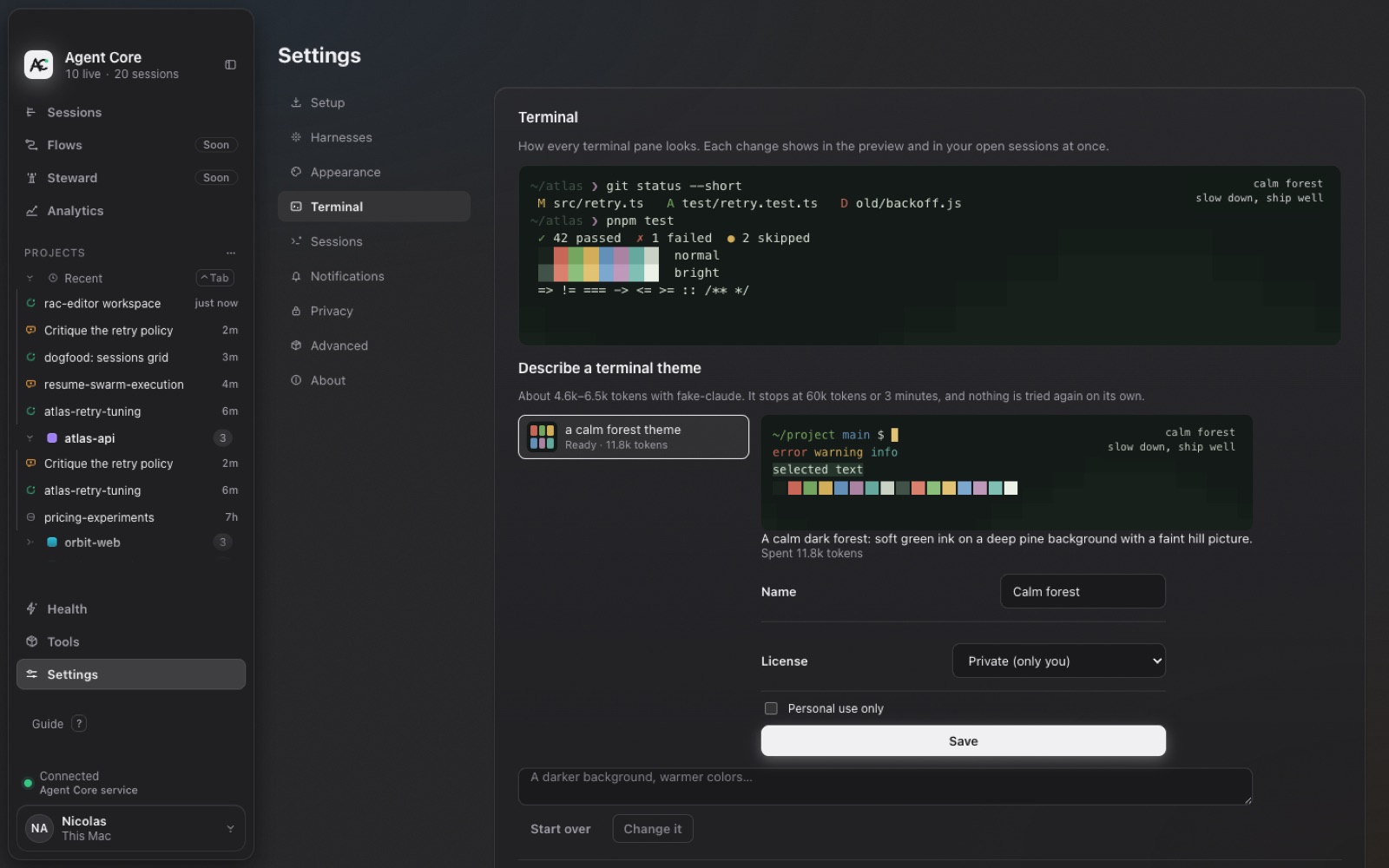
Change how every agent terminal looks, or describe a theme and let your agent make it.
Pick or describe a theme
- Open Settings → Terminal. The preview shows changes in your open sessions at once.
- Choose a built-in theme, or type a description like “a calm forest theme” under Describe a terminal theme.
- Check the preview, rename it if you like, and choose Save.